
Platform Overview

How this works:
This is a fully researched and detailed plan to develop an automated management system for retail media.
Our admin gets all info from retailer and we fill in registration data and SKUs used in managing each every process, from opening an advertising campaign to presenting the resulting data analytics to both retailer and FMCG advertiser.
It is very important to understand the complete process so the platform is set up to manage everything from the start.
Registration & Set Up
Step 1: Set up each retailer account.
We will be doing all the registration of retailers and FMCG, so I need a simple entry point to create all the information.
We need these fields pre-set for all registration.
I want a + set up so I can have a blank form to create a new registration.
The ones with asterisk will saved in a dropdown for future use in other registrations.
The ones with 2 asterisks will allow me to add additional categories and brands.
No fields are mandatory.
Basic
Retailer Group*
Store brand**
Department*
Role*
Name: first / last
Phone: work / extension - +971
Phone: mobile - +9715
What’s app - +9715
Email:
FMCG
Corporate Group*
Division*
Category**
Brand**
Department*
Role*
Name: first / last
Phone: work / extension - +971
Phone: mobile - +9715
What’s app - +9715
Email:
Additional information for corporate groups and retail groups need this additional information which will be embedded when in the name when I use in dropdown:
Building name
Phone
Street
Area
Emirate
Country
User Page Layout
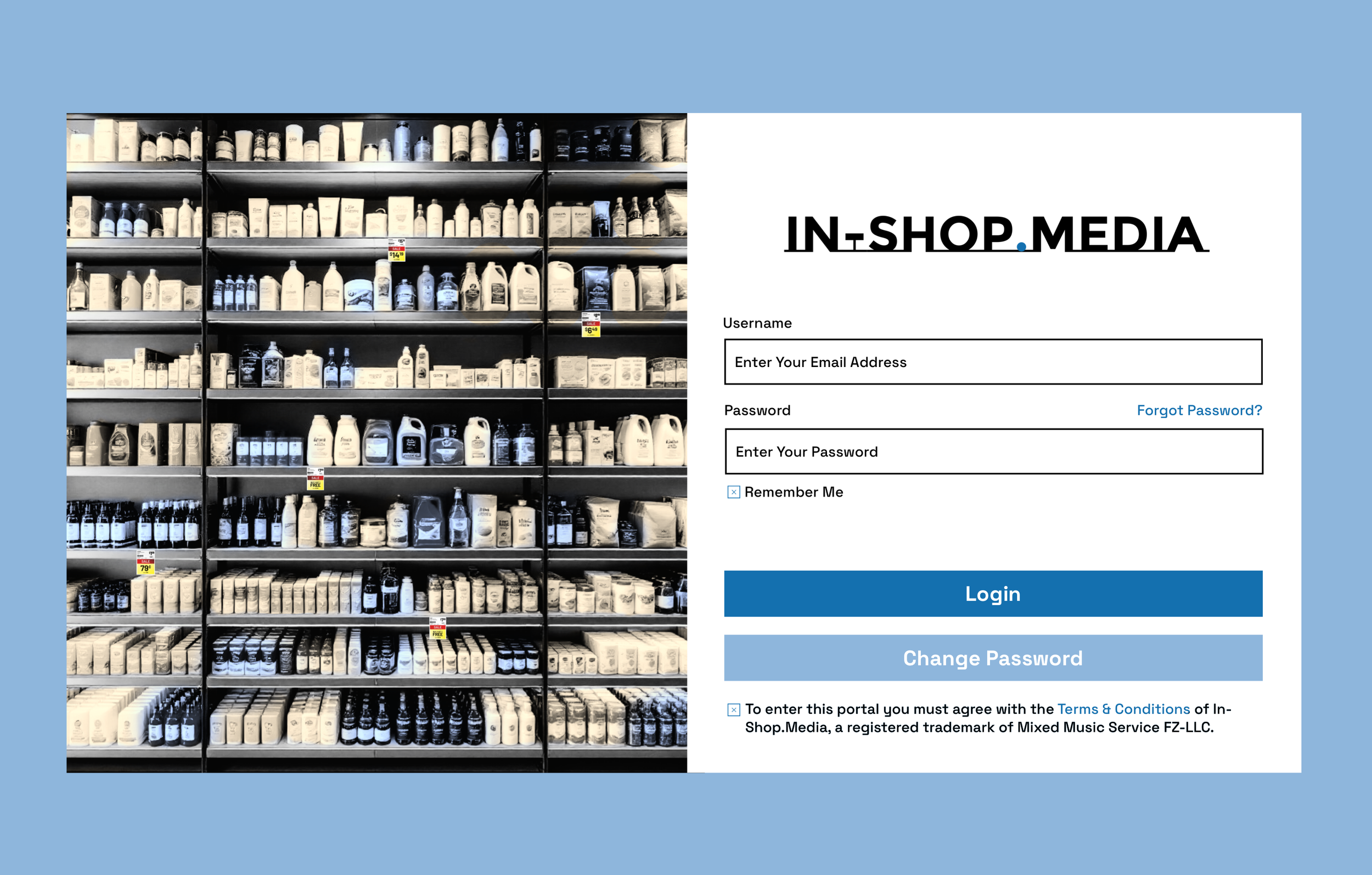
User registration process
In-Shop.Media will pre-register all users using the fields shown on top of the page.
The User name will always be the email address of the user and can not be changed.
The User will automaticity be sent an email to that address with a hyperlink to the login page that is specifically linked to that address. The email address should be already shown in user name box - if possible.
The User will then enter the password of their choice into into the field above. They will also need to click Remember Me and Terms & Conditions to login.
When they click Login a popup appears telling them an OTP has been sent to their WhatsApp account.
After they enter the OTP in the popup, they are can access the platform with specific access to their designated role.
Downloads:
SKU Management
Connecting SKUs to people & actions.
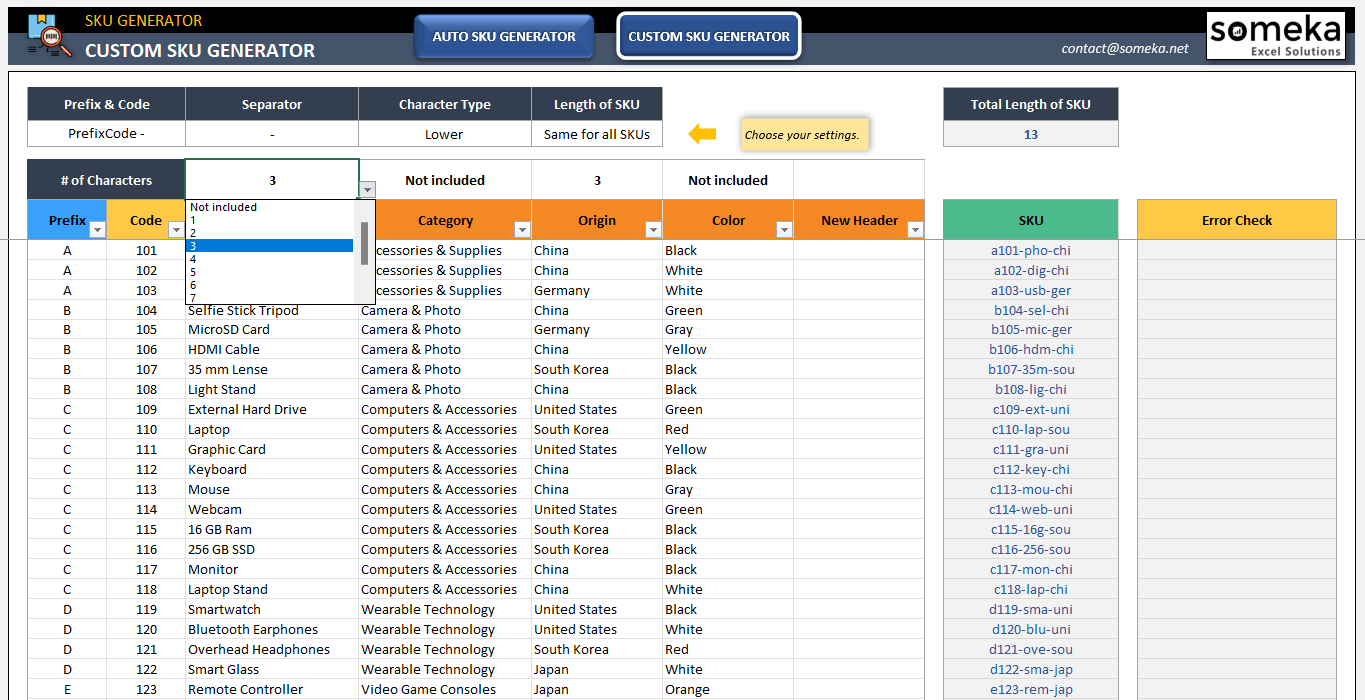
Note: This is just an illustration, not something to be done. let’s discuss specific requirements and cells specific to our purpose.
The key to automating our buying, billing, tracking & measurement of media is linked to the product SKU that all retailers and FMCG advertisers us to identify each product. To understand this is the path the SKU takes in the entire process.
The retailer will give us the SKU of every product that will be featured in an ad or promotion in Excel.
We will create a unique code and attach it to each SKU which will be linked to the retailer (general access), FMCG account (General access), FMCG brand manager (ad buying), FMCG financial (PO, invoice, notices, archive), This will be in the system and identified in the same way as the retailer has the SKU in their system.
Set Up Campaign
Step 2: Retailer creates a campaign.
This is where all the elements from registration work together.
The customized SKU is formed here, combining the product code, store code, FMCG code, date of campaign & brand manager.
These are automatically linked when the commercial department simply creates a campaign and selects eligible promotional products.
Setting up campaigns to sell ads from the retailers perspective.
After registration of retailers & FMCGs are complete we now have a database to begin offering media space to advertisers.
The retailer can quickly build a campaign by offering promo sale ad space to major FMCGs by just setting the date(s) of and selecting the SKU of the featured product.
By clicking a few select boxes, the retailer can set in motion a fully automated process of selling, invoicing, producing, analyzing & profiting with little effort.
The value of ads in each chain will be determined by the number of POS transactions. This calculation is based on a yearly average. We have built in premium times of year with 25% & 50% increases.
Selling Ads to FMCGs
Step 3: FMCG responding to our media.

Strategically building a new media in unexpected places.
Our fully automated process must be carefully developed to add value to the FMCG advertisers marketing budget.
They must see opportunity in the 2nd & 3rd teir retailers that previously held little attraction as a source of customer conversion.
We must be seen as the indispensable future of in-store advertising media by all FMCGs.
Anticipating the FMCG advertiser’s needs, reactions & acceptance to a new media space.
In-Shop.Media sends an invitation to participate in a retailers weekly promotion. there are 3 responses: Yes, Maybe or No
Yes automatically initiates a PO sent the finance and brand manager. Maybe is followed up with reminders and No is no.
However before we get to that, we have to prove our value as a transformative media.
For between 4-6 weeks we will trial major FMCG brands in each retailer’s network
We will process the media buy as normal, but with FOC marked on the purchase order & info on data analytics.
At this point the FMCG will have a proven case study and a relationship with us and the retailer to move forward with paid ads.
Billing & Payment
Step 4: Payment & promotion policy.

How this works:
We will offer a 30 day payment policy to all advertisers, which begins when the campaign cycle is complete. Failure to pay on time will result in advance payment for 3 months until the 30 day credit can be applied again.
At launch, every advertiser gets a 50, 25 & 15% discount for the first 3 ads. We may also offer a pre-approve 10 ads, get 1 free promotion.
Anticipating the FMCG advertiser’s needs, reactions & acceptance to a new media space.
In-Shop.Media sends an invitation to participate in a retailers weekly promotion. there are 3 responses: Yes, Maybe or No
Yes automatically initiates a PO sent the finance and brand manager. Maybe is followed up with reminders and No is no.
However before we get to that, we have to prove our value as a transformative media.
For between 4-6 weeks we will trial major FMCG brands in each retailer’s network
We will process the media buy as normal, but with FOC marked on the purchase order & info on data analytics.
At this point the FMCG will have a proven case study and a relationship with us and the retailer to move forward with paid ads.
Proof of Efficacy
Step 5: Data analytics.
How this works:
Because of confidentiality, we will need wall off data depending user.
Retailers: Can see comparative data from all FMCG in their system, but no other retailers
FMCG: Can see data for their SKUs only, but across all retailers.
It is possible for FMCG to see current & historical competitive conversion rates but only compared to non-specific category products.
Full data attribution through POS integration.
Core Sales KPIs (Campaign-Level)
Basket-Level Metrics
Time-Based Performance
Customer-Level Metrics (if loyalty/phone ID is available)
Promotional Effectiveness
Media Attribution Metrics
Final AI Solution
Step 6: Code for AWS.

How this works:
This download has all packs extracted with
START_HERE.mdandMIGRATION_ORDER.txt. It’s the source for AI codegen + human devs.Vendor Kit (safe to share externally). Optional “hand-off” zips (don’t need to go to AWS)
Internal Control Pack (keep private). Optional “hand-off” zips (don’t need to go to AWS)